Snow
All India Institute of Speech and Hearing, Mysuru
(An Autonomous institute Under Ministry of Health and Family Welfare, Government of India.)

Library and Information Center

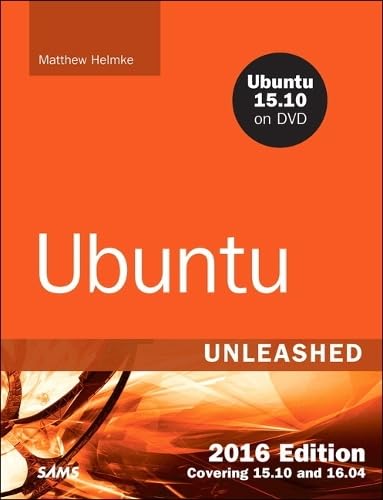
Amazon cover image
Image from Amazon.com

Ubuntu unleashed 2016 edition : covering 15.10 and 16.04 / Matthew Helmke.

By: Material type: TextPublisher: Indianapolis, IN : Sams Pub., 2015Edition: 11th editionDescription: 778 pages ; 23 cmContent type:
  • text
Media type:
  • unmediated
Carrier type:
  • volume
ISBN:
  • 9780134268118 (pbk. : alk. paper)
DDC classification:
  • 005.432 BER
Contents:
Introduction: xxxi Licensing xxxii Who This Book Is For xxxiii Those Wanting to Become Intermediate or Advanced Users xxxiii Sysadmins, Programmers, and DevOps xxxiv What This Book Contains xxv Conventions Used in This Book xxv Part I: Getting Started 1: Installing Ubuntu and Post-Installation Configuration 1 Before You Begin the Installation 1 Researching Your Hardware Specifications 2 Installation Options 2 32-Bit vs. 64-Bit Ubuntu 4 Planning Partition Strategies 5 The Boot Loader 5 Installing from DVD or USB Drive 6 Step-by-Step Installation 6 Installing 7 First Update 12 Shutting Down 12 Finding Programs and Files 13 Software Updater 14 The sudo Command 17 Configuring Software Repositories 18 System Settings 20 Detecting and Configuring a Printer 21 Configuring Power Management in Ubuntu 21 Setting the Time and Date 22 Configuring Wireless Networks 24 Troubleshooting Post-Installation Configuration Problems 25 References 26 2: Background Information and Resources 27 What Is Linux? 27 Why Use Linux? 29 What Is Ubuntu? 31 Ubuntu for Business 32 Ubuntu in Your Home 33 Getting the Most from Ubuntu and Linux Documentation 33 Ubuntu Developers and Documentation 35 Websites and Search Engines 35 Web Search Tips 35 Google Is Your Friend 36 Ubuntu Package Listings 36 Commercial Support 36 Documentation 37 Linux Guides 37 Ubuntu 38 Mailing Lists 39 Ubuntu Project Mailing Lists 39 Internet Relay Chat 40 Part II: Desktop Ubuntu 3: Working with Unity 41 Foundations and the X Server 41 Basic X Concepts 42 Using X 43 Elements of the xorg.conf File 44 Starting X 49 Using a Display Manager 50 Changing Window Managers 50 Using Unity, a Primer 51 The Desktop 51 Customizing and Configuring Unity 56 Power Shortcuts 58 References 59 4: On the Internet 61 Getting Started with Firefox 61 Checking Out Google Chrome and Chromium 63 Choosing an Email Client 65 Mozilla Thunderbird 65 Evolution 66 Other Mail Clients 67 RSS Readers 67 Firefox 67 Liferea 68 Instant Messaging and Video Conferencing with Empathy 68 Internet Relay Chat 69 Usenet Newsgroups 72 References 73 5: Productivity Applications 75 Introducing LibreOffice 77 Other Office Suites for Ubuntu 79 Working with GNOME Office 79 Working with KOffice 80 Other Useful Productivity Software 81 Working with PDF 81 Working with XML and DocBook 81 Working with LaTeX 82 Productivity Applications Written for Microsoft Windows 83 References 84 6: Multimedia Applications 85 Sound and Music 85 Sound Cards 86 Adjusting Volume 87 Sound Formats 88 Listening to Music 89 Graphics Manipulation 91 The GNU Image Manipulation Program 93 Using Scanners in Ubuntu 94 Working with Graphics Formats 95 Capturing Screen Images 96 Other Graphics Manipulation Options 97 Using Digital Cameras with Ubuntu 97 Handheld Digital Cameras 98 Using Shotwell Photo Manager 98 Burning CDs and DVDs in Ubuntu 99 Creating CDs and DVDs with Brasero 99 Creating CDs from the Command Line 99 Creating DVDs from the Command Line 101 Viewing Video 103 TV and Video Hardware 104 Video Formats 105 Viewing Video in Linux 105 Personal Video Recorders 107 Video Editing 107 References 108 7: Other Ubuntu Interfaces 109 Desktop Environment 110 KDE and Kubuntu 111 Xfce and Xubuntu 112 LXDE and Lubuntu 113 GNOME3 and Ubuntu GNOME 114 MATE and Ubuntu MATE 115 Ubuntu Kylin 116 References 116 8: Games 119 Ubuntu Gaming 119 Installing Proprietary Video Drivers 120 Installing Games in Ubuntu 120 Warsow 121 Scorched 3D 121 Frozen Bubble 123 SuperTux 123 Battle for Wesnoth 124 Frets on Fire 124 FlightGear 126 Speed Dreams 126 Games for Kids 126 Commercial Games 126 Steam 127 Playing Windows Games 128 References 128 Part III: System Administration 9: Managing Software 131 Ubuntu Software Center 131 Using Synaptic for Software Management 132 Staying Up-to-Date 134 Working on the Command Line 135 Day-to-Day Usage 136 Finding Software 139 Compiling Software from Source 140 Compiling from a Tarball 140 Compiling from Source from the Ubuntu Repositories 141 Configuration Management 142 dotdee 143 OneConf 143 Snappy Ubuntu Core 143 References 144 10: Command-Line Quickstart 145 What Is the Command Line? 146 Accessing the Command Line 147 Text-Based Console Login 148 Logging Out 149 Logging In and Out from a Remote Computer 149 User Accounts 150 Reading Documentation 152 Using Man Pages 152 Using apropros 152 Using whereis 153 Understanding the Linux File System Hierarchy 153 Essential Commands in /bin and /sbin 154 Configuration Files in /etc 155 User Directories: /home 155 Using the Contents of the /proc Directory to Interact with the Kernel 156 Working with Shared Data in the /usr Directory 157 Temporary File Storage in the /tmp Directory 158 Accessing Variable Data Files in the /var Directory 158 Navigating the Linux File System 158 Listing the Contents of a Directory with ls 158 Changing Directories with cd 160 Finding Your Current Directory with pwd 161 Working with Permissions 161 Assigning Permissions 162 Directory Permissions 163 Altering File Permissions with chmod 164 File Permissions with chgrp 165 Changing File Permissions with chown 165 Understanding Set User ID and Set Group ID Permissions 165 Working with Files 167 Creating a File with touch 167 Creating a Directory with mkdir 167 Deleting a Directory with rmdir 168 Deleting a File or Directory with rm 169 Moving or Renaming a File with mv 169 Copying a File with cp 170 Displaying the Contents of a File with cat 171 Displaying the Contents of a File with less 171 Using Wildcards and Regular Expressions 171 Working as Root 172 Understanding and Fixing sudo 172 Creating Users 175 Deleting Users 176 Shutting Down the System 176 Rebooting the System 177 Commonly Used Commands and Programs 178 References 178 11: Command-Line Master Class 179 Why Use the Command Line? 180 Using Basic Commands 181 Printing the Contents of a File with cat 183 Changing Directories with cd 183 Changing File Access Permissions with chmod 185 Copying Files with cp 186 Printing Disk Usage with du 186 Finding Files by Searching with find 187 Searches for a String in Input with grep 189 Paging Through Output with less 190 Creating Links Between Files with ln 192 Finding Files from an Index with locate 194 Listing Files in the Current Directory with ls 194 Reading Manual Pages with man 196 Making Directories with mkdir 197 Moving Files with mv 197 Deleting Files and Directories with rm 198 Sorting the Contents of a File with sort 198 Printing the Last Lines of a File with tail 200 Using echo 201 Printing the Location of a Command with which 202 Redirecting Output and Input 202 stdin, stdout, stderr, and Redirection 203 Comparing Files 204 Finding Differences in Files with diff 204 Finding Similarities in Files with comm 205 Limiting Resource Use and Job Control 205 Listing Processes with ps 206 Listing Jobs with jobs 207 Running One or More Tasks in the Background 207 Moving Jobs to the Background or Foreground with bg and fg 208 Printing Resource Usage with top 209 Setting Processes Priority with nice 211 Combining Commands 212 Pipes 212 Combining Commands with Boolean Operators 214 Running Separate Commands in Sequence 214 Using Environment Variables 215 Using Common Text Editors 218 Working with nano 219 Working with vi 220 Working with emacs 221 Working with sed and awk 222 Working with Compressed Files 224 Using Multiple Terminals with byobu 225 Polite System Reset Using REISUB 226 Tips and Tricks 227 Running the Previous Command 227 Running Any Previous Command 228 Running a Previous Command That Started with Specific Letters 228 Running the Same Thing You Just Ran with a Different First Word 228 Viewing Your History and More 228 Do Two or More Things 229 Shortcuts 229 Coreutils 229 References 230 12: Managing Users 231 User Accounts 231 The Super User/Root User 232 User IDs and Group IDs 234 File Permissions 234 Managing Groups 235 Group Listing 235 Group Management Tools 237 Managing Users 238 User Management Tools 238 Adding New Users 240 Monitoring User Activity on the System 242 Managing Passwords 243 System Password Policy 243 The Password File 243 Shadow Passwords 244 Managing Password Security for Users 247 Changing Passwords in a Batch 247 Granting System Administrator Privileges to Regular Users 247 Temporarily Changing User Identity with the su Command 248 Granting Root Privileges on Occasion: The sudo Command 250 Disk Quotas 253 Implementing Quotas 253 Manually Configuring Quotas 254 Related Ubuntu Commands 254 References 255 13: Automating Tasks and Shell Scripting 257 Scheduling Tasks 257 Using at and batch to Schedule Tasks for Later 257 Using cron to Run Jobs Repeatedly 260 Using rtcwake to Wake Your Computer from Sleep Automatically 262 Basic Shell Control 264 The Shell Command Line 265 Shell Pattern-Matching Support 266 Redirecting Input and Output 267 Piping Data 268 Background Processing 269 Writing and Executing a Shell Script 269 Running the New Shell Program 271 Storing Shell Scripts for System-Wide Access 272 Interpreting Shell Scripts Through Specific Shells 272 Using Variables in Shell Scripts 273 Assigning a Value to a Variable 274 Accessing Variable Values 274 Positional Parameters 275 A Simple Example of a Positional Parameter 275 Using Positional Parameters to Access and Retrieve Variables from the Command Line 276 Using a Simple Script to Automate Tasks 276 Built-In Variables 278 Special Characters 279 Using Double Quotes to Resolve Variables in Strings with Embedded Spaces 280 Using Single Quotes to Maintain Unexpanded Variables 281 Using the Backslash as an Escape Character 281 Using the Backtick to Replace a String with Output 282 Comparison of Expressions in pdksh and bash 282 Comparing Expressions with tcsh 287 The for Statement 291 The while Statement 293 The until Statement 295 The repeat Statement (tcsh) 295 The select Statement (pdksh) 296 The shift Statement 296 The if Statement 297 The case Statement 298 The break and exit Statements 300 Using Functions in Shell Scripts 300 References 301 14: The Boot Process 303 Running Services at Boot 303 Beginning the Boot Loading Process 304 Loading the Linux Kernel 306 System Services and Runlevels 306 Runlevel Definitions 306 Booting into the Default Runlevel 307 Understanding init Scripts and the Final Stage of Initialization 308 Controlling Services at Boot with Administrative Tools 309 Changing Runlevels 309 Troubleshooting Runlevel Problems 310 Starting and Stopping Services Manually 310 Using Upstart 311 systemd 312 Boot Repair 313 References 313 15: System-Monitoring Tools 315 Console-Based Monitoring 315 Using the kill Command to Control Processes 317 Using Priority Scheduling and Control 318 Displaying Free and Used Memory with free 319 Disk Space 320 Disk Quotas 321 Checking Log Files 321 Rotating Log Files 323 Graphical Process and System Management Tools 325 System Monitor 326 Conky 327 Other 332 KDE Process- and System-Monitoring Tools 332 Enterprise Server Monitoring 333 Landscape 333 Other 333 References 333 16: Backing Up 335 Choosing a Backup Strategy 335 Why Data Loss Occurs 336 Assessing Your Backup Needs and Resources 337 Evaluating Backup Strategies 339 Making the Choice 342 Choosing Backup Hardware and Media 342 Removable Storage Media 342 CD-RW and DVD+RW/-RW Drives 343 Network Storage 343 Tape Drive Backup 343 Cloud Storage 344 Using Backup Software 344 tar: The Most Basic Backup Tool 345 The GNOME File Roller 347 The KDE ark Archiving Tool 347 Deja Dup 348 Back In Time 350 Unison 352 Using the Amanda Backup Application 352 Alternative Backup Software 353 Copying Files 354 Copying Files Using tar 354 Compressing, Encrypting, and Sending tar Streams 355 Copying Files Using cp 355 Copying Files Using mc 356 Using rsync 356 Version Control for Configuration Files 358 System Rescue 360 The Ubuntu Rescue Disc 361 Restoring the GRUB2 Boot Loader 361 Saving Files from a Nonbooting Hard Drive 362 References 362 17: Networking 363 Laying the Foundation: The localhost Interface 364 Checking for the Availability of the Loopback Interface 364 Configuring the Loopback Interface Manually 364 Checking Connections with ping, traceroute, and mtr 366 Networking with TCP/IP 368 TCP/IP Addressing 369 Using IP Masquerading in Ubuntu 371 Ports 372 IPv6 Basics 372 Network Organization 375 Subnetting 375 Subnet Masks 376 Broadcast, Unicast, and Multicast Addressing 376 Hardware Devices for Networking 377 Network Interface Cards 377 Network Cable 379 Hubs and Switches 380 Routers and Bridges 381 Initializing New Network Hardware 381 Using Network Configuration Tools 384 Command-Line Network Interface Configuration 384 Network Configuration Files 389 Using Graphical Configuration Tools 391 Dynamic Host Configuration Protocol 393 How DHCP Works 393 Activating DHCP at Installation and Boot Time 394 DHCP Software Installation and Configuration 395 Using DHCP to Configure Network Hosts 397 Other Uses for DHCP 399 Wireless Networking 399 Support for Wireless Networking in Ubuntu 399 Advantages of Wireless Networking 401 Choosing from Among Available Wireless Protocols 401 Beyond the Network and onto the Internet 402 Common Configuration Information 402 Configuring Digital Subscriber Line Access 404 Understanding PPP over Ethernet 404 Configuring a PPPoE Connection Manually 405 Configuring Dial-Up Internet Access 406 Troubleshooting Connection Problems 407 References 408 18: Remote Access with SSH, Telnet, and VNC 409 Setting Up a Telnet Server 409 Telnet Versus SSH 411 Setting Up an SSH Server 411 SSH Tools 411 Using scp to Copy Individual Files Between Machines 412 Using sftp to Copy Many Files Between Machines 413 Using ssh-keygen to Enable Key-Based Logins 413 Virtual Network Computing 415 References 417 19: Securing Your Machines 419 Understanding Computer Attacks 419 Assessing Your Vulnerability 421 Protecting Your Machine 422 Securing a Wireless Network 423 Passwords and Physical Security 423 Configuring and Using Tripwire 424 Devices 425 Viruses 425 Configuring Your Firewall 426 AppArmor 430 Forming a Disaster Recovery Plan 432 References 433 20: Performance Tuning 435 Hard Disk 435 Using the BIOS and Kernel to Tune the Disk Drives 436 The hdparm Command 437 File System Tuning 438 The tune2fs Command 438 The e2fsck Command 439 The badblocks Command 439 Disabling File Access Time 439 Kernel 440 Apache 441 MySQL 442 Measuring Key Buffer Usage 442 Using the Query Cache 444 Miscellaneous Tweaks 445 Query Optimization 446 References 446 21: Kernel and Module Management 447 The Linux Kernel 448 The Linux Source Tree 449 Types of Kernels 451 Managing Modules 452 When to Recompile 454 Kernel Versions 455 Obtaining the Kernel Sources 456 Patching the Kernel 457 Compiling the Kernel 458 Using xconfig to Configure the Kernel 461 Creating an Initial RAM Disk Image 464 When Something Goes Wrong 465 Errors During Compile 465 Runtime Errors, Boot Loader Problems, and Kernel Oops 466 References 466 Part IV: Ubuntu as a Server 22: Sharing Files and Printers 469 Using the Network File System 470 Installing and Starting or Stopping NFS 470 NFS Server Configuration 470 NFS Client Configuration 472 Putting Samba to Work 472 Manually Configuring Samba with /etc/samba/smb.conf 474 Testing Samba with the testparm Command 477 Starting, Stopping, and Restarting the smbd Daemon 477 Mounting Samba Shares 479 Network and Remote Printing with Ubuntu 479 Creating Network Printers 479 Using the Common UNIX Printing System GUI 481 Avoiding Printer Support Problems 483 References 484 23: Apache Web Server Management 485 About the Apache Web Server 485 Installing the Apache Server 486 Installing from the Ubuntu Repositories 486 Building the Source Yourself 488 Starting and Stopping Apache 490 Starting the Apache Server Manually 490 Using /etc/init.d/apache2 492 Runtime Server Configuration Settings 493 Runtime Configuration Directives 493 Editing apache2.conf 494 Apache Multiprocessing Modules 497 Using .htaccess Configuration Files 497 File System Authentication and Access Control 499 Restricting Access with allow and deny 500 Authentication 501 Final Words on Access Control 503 Apache Modules 504 mod_dir and mod_env 506 mod_info and mod_log_config 507 mod_mime and mod_mime_magic 507 Virtual Hosting 509 Address-Based Virtual Hosts 509 Name-Based Virtual Hosts 510 Logging 511 HTTPS 513 References 515 24: Nginx Web Server Management 517 About the Nginx Web Server 517 Installing the Nginx Server 519 Installing from the Ubuntu Repositories 519 Building the Source Yourself 519 Configuring the Nginx Server 520 Virtual Hosting 523 Setting Up PHP 524 Adding and Configuring Modules 525 HTTPS 526 References 528 25: Other HTTP Servers 529 lighttpd 529 Yaws 530 Cherokee 531 Jetty 531 thttpd 532 Apache Tomcat 532 References 532 26: Remote File Serving with FTP 533 Choosing an FTP Server 533 Choosing an Authenticated or Anonymous Server 534 Ubuntu FTP Server Packages 534 Other FTP Servers 534 Installing FTP Software 535 The FTP User 536 Configuring the Very Secure FTP Server 538 Controlling Anonymous Access 539 Other vsftpd Server Configuration Files 539 Using the ftphosts File to Allow or Deny FTP Server Connection 541 References 542 27: Handling Email 543 How Email Is Sent and Received 543 The Mail Transport Agent 544 Choosing an MTA 546 The Mail Delivery Agent 546 The Mail User Agent 547 Basic Postfix Configuration and Operation 548 Configuring Masquerading 550 Using Smart Hosts 551 Setting Message Delivery Intervals 551 Mail Relaying 552 Forwarding Email with Aliases 552 Using Fetchmail to Retrieve Mail 553 Installing Fetchmail 553 Configuring Fetchmail 553 Choosing a Mail Delivery Agent 557 Procmail 557 Spamassassin 557 Squirrelmail 558 Virus Scanners 558 Autoresponders 558 Alternatives to Microsoft Exchange Server 558 Microsoft Exchange Server/Outlook Client 559 CommuniGate Pro 559 Oracle Beehive 560 Bynari 560 Open-Xchange 560 Horde 560 References 560 28: Proxying, Reverse Proxying, and Virtual Private Networks (VPN) 563 What Is a Proxy Server? 563 Installing Squid 564 Configuring Clients 564 Access Control Lists 564 Specifying Client IP Addresses 569 Sample Configurations 570 Virtual Private Networks (VPN) 572 Setting Up a VPN Client 574 Setting Up a VPN Server 575 References 577 29: Administering Relational Database Services 579 A Brief Review of Database Basics 580 How Relational Databases Work 582 Understanding SQL Basics 584 Creating Tables 584 Inserting Data into Tables 585 Retrieving Data from a Database 586 Choosing a Database: MySQL Versus PostgreSQL 588 Speed 588 Data Locking 589 ACID Compliance in Transaction Processing to Protect Data Integrity 589 SQL Subqueries 590 Procedural Languages and Triggers 590 Configuring MySQL 591 Setting a Password for the MySQL Root User 592 Creating a Database in MySQL 592 Configuring PostgreSQL 594 Initializing the Data Directory in PostgreSQL 594 Creating a Database in PostgreSQL 595 Creating Database Users in PostgreSQL 596 Deleting Database Users in PostgreSQL 596 Granting and Revoking Privileges in PostgreSQL 597 Database Clients 597 SSH Access to a Database 598 Local GUI Client Access to a Database 599 Web Access to a Database 600 The MySQL Command-Line Client 601 The PostgreSQL Command-Line Client 602 Graphical Clients 602 References 603 30: NoSQL Databases 605 Key/Value Stores 608 Berkeley DB 608 Cassandra 609 Memcached and MemcacheDB 609 Redis 610 Riak 610 Document Stores 610 CouchDB 611 MongoDB 612 BaseX 612 Wide Column Stores 613 BigTable 613 HBase 613 Graph Stores 614 Neo4j 614 OrientDB 614 HyperGraphDB 615 FlockDB 615 References 615 31: Lightweight Directory Access Protocol (LDAP) 617 Configuring the Server 618 Creating Your Schema 618 Populating Your Directory 620 Configuring Clients 622 Evolution 622 Thunderbird 623 Administration 623 References 624 32: Linux Terminal Server Project (LTSP) 625 Requirements 626 Installation 629 Using LTSP 630 References 631 33: Virtualization on Ubuntu 633 KVM 635 VirtualBox 639 VMware 641 Xen 641 References 641 34: Ubuntu in the Cloud 643 Why a Cloud? 644 Software as a Service (SaaS) 645 Platform as a Service (PaaS) 645 Infrastructure as a Service (IaaS) 645 Metal as a Service (MaaS) 645 Before You Do Anything 646 Deploy/Install Basics: Public, Private, or Hybrid? 646 Ubuntu Cloud and OpenStack 647 Compute Infrastructure (Nova) 648 Storage Infrastructure (Swift) 648 Networking Service (Neutron) 648 Identity Service (Keystone) 649 Imaging Service (Glance) 649 Dashboard (Horizon) 649 Learning More 649 Juju 649 Getting Started 650 Charms 652 The Juju GUI 654 Juju Quickstart 654 Juju on Mac OS X and Windows 655 Mojo: Continuous Delivery for Juju 655 Snappy Ubuntu 655 Ubuntu Metal as a Service (MaaS) 655 Landscape 656 References 656 35: Managing Sets of Servers 657 Juju 657 Puppet 658 Chef 658 CFEngine 658 Ansible 659 Landscape 659 References 659 36: Name Serving with the Domain Name System (DNS) 661 Understanding Domain Names 663 DNS Servers 663 DNS Records 664 Setting Up a DNS Server with BIND 667 References 669 Part V: Programming Linux 37: Using Programming Tools for Ubuntu 671 Programming with Linux 672 Using the C Programming Project Management Tools Provided with Ubuntu 673 Building Programs with make 673 Using Makefiles 673 Using the autoconf Utility to Configure Code 675 Debugging Tools 676 Using the GNU C Compiler 677 Graphical Development Tools 678 Using the KDevelop Client 678 The Glade Client for Developing in GNOME 679 Use an IDE or SDK 680 References 682 38: Opportunistic Development 683 Version Control Systems 683 Managing Software Projects with Subversion 684 Managing Software Projects with Bazaar 685 Managing Software Projects with Mercurial 686 Managing Software Projects with Git 687 Introduction to Opportunistic Development 688 Launchpad 689 Quickly 691 Bikeshed and Other Tools 695 References 697 39: Helping with Ubuntu Development 699 Introduction to Ubuntu Development 700 Setting Up Your Development System 701 Install Basic Packages and Configure 701 Create a Launchpad Account 702 Set Up Your Environment to Work with Launchpad 702 Developing Apps and Scopes 704 Fixing Bugs and Packaging 704 Finding Bugs to Fix with Harvest 707 Masters of the Universe 707 References 708 40: Helping with Ubuntu Testing and QA 709 Community Teams 709 Ubuntu Testing Team 710 QA Team 711 Bug Squad 711 Test Drive 711 References 714 41: Using Popular Programming Languages 715 Ada 716 Clojure 717 COBOL 717 D 718 Dart 718 Elixir 719 Erlang 719 Forth 720 Fortran 720 Go 720 Groovy 721 Haskell 721 Java 721 JavaScript 722 Lisp 723 Lua 723 Mono 723 OCaml 724 Perl 724 PHP 725 Python 725 Ruby 725 Rust 726 Scala 726 Scratch 726 Vala 727 References 727 42: Beginning Mobile Development for Android 729 Introduction to Android 730 Hardware 730 Linux Kernel 730 Libraries 730 Android Runtime 730 Application Framework 731 Applications 731 Installing Android Studio 731 Install Android Studio 731 Install SDK Packages 731 Create Your First Application 733 References 734 43: Developing for Ubuntu Mobile/Touch 735 Install the SDK 736 Create Your First Application 736 References 737 Index: 739 NOTE Chapters 44-46 can be accessed online at informit.com/title/9780134268118. Bonus Chapters 44: Using Perl Web:1 Using Perl with Linux Web:1 Perl Versions Web:2 A Simple Perl Program Web:2 Perl Variables and Data Structures Web:4 Perl Variable Types Web:5 Special Variables Web:5 Operators Web:6 Comparison Operators Web:6 Compound Operators Web:7 Arithmetic Operators Web:7 Other Operators Web:8 Special String Constants Web:9 Conditional Statements: if/else and unless Web:9 if Web:9 unless Web:10 Looping Web:10 for Web:11 foreach Web:11 while Web:12 until Web:12 last and next Web:12 do ... while and do ... until Web:13 Regular Expressions Web:13 Access to the Shell Web:14 Modules and CPAN Web:15 Code Examples Web:16 Sending Mail Web:16 Purging Logs Web:18 Posting to Usenet Web:19 One-Liners Web:20 Command-Line Processing Web:20 References Web:21 45: Using Python Web:23 Python on Linux Web:24 The Basics of Python Web:25 Numbers Web:25 More on Strings Web:27 Lists Web:30 Dictionaries Web:32 Conditionals and Looping Web:33 Functions Web:35 Object Orientation Web:36 Class and Object Variables Web:37 Constructors and Destructors Web:38 Class Inheritance Web:39 The Standard Library and the Python Package Index Web:41 References Web:41 46: Using PHP Web:43 Introduction to PHP Web:44 Entering and Exiting PHP Mode Web:44 Variables Web: 44 Arrays Web: 46 Constants Web: 48 References Web: 48 Comments Web: 49 Escape Sequences Web: 49 Variable Substitution Web: 50 Operators Web: 51 Conditional Statements Web: 53 Special Operators Web: 55 Switching Web: 55 Loops Web: 57 Including Other Files Web: 59 Basic Functions Web: 60 Strings Web: 60 Arrays Web: 64 Files Web: 65 Miscellaneous Web: 68 Handling HTML Forms Web: 71 Databases Web: 72 References Web: 74
Tags from this library: No tags from this library for this title. Log in to add tags.
Star ratings
    Average rating: 0.0 (0 votes)
Holdings
Cover image Item type Current library Home library Collection Shelving location Call number Materials specified Vol info URL Copy number Status Notes Date due Barcode Item holds Item hold queue priority Course reserves
Reference text books All India Institute of Speech and Hearing R-1/2 005.432 BER (Browse shelf(Opens below)) Available 21320
Total holds: 0

Introduction: xxxi

Licensing xxxii

Who This Book Is For xxxiii

Those Wanting to Become Intermediate or Advanced Users xxxiii

Sysadmins, Programmers, and DevOps xxxiv

What This Book Contains xxv

Conventions Used in This Book xxv

Part I: Getting Started

1: Installing Ubuntu and Post-Installation Configuration 1

Before You Begin the Installation 1

Researching Your Hardware Specifications 2

Installation Options 2

32-Bit vs. 64-Bit Ubuntu 4

Planning Partition Strategies 5

The Boot Loader 5

Installing from DVD or USB Drive 6

Step-by-Step Installation 6

Installing 7

First Update 12

Shutting Down 12

Finding Programs and Files 13

Software Updater 14

The sudo Command 17

Configuring Software Repositories 18

System Settings 20

Detecting and Configuring a Printer 21

Configuring Power Management in Ubuntu 21

Setting the Time and Date 22

Configuring Wireless Networks 24

Troubleshooting Post-Installation Configuration Problems 25

References 26

2: Background Information and Resources 27

What Is Linux? 27

Why Use Linux? 29

What Is Ubuntu? 31

Ubuntu for Business 32

Ubuntu in Your Home 33

Getting the Most from Ubuntu and Linux Documentation 33

Ubuntu Developers and Documentation 35

Websites and Search Engines 35

Web Search Tips 35

Google Is Your Friend 36

Ubuntu Package Listings 36

Commercial Support 36

Documentation 37

Linux Guides 37

Ubuntu 38

Mailing Lists 39

Ubuntu Project Mailing Lists 39

Internet Relay Chat 40

Part II: Desktop Ubuntu

3: Working with Unity 41

Foundations and the X Server 41

Basic X Concepts 42

Using X 43

Elements of the xorg.conf File 44

Starting X 49

Using a Display Manager 50

Changing Window Managers 50

Using Unity, a Primer 51

The Desktop 51

Customizing and Configuring Unity 56

Power Shortcuts 58

References 59

4: On the Internet 61

Getting Started with Firefox 61

Checking Out Google Chrome and Chromium 63

Choosing an Email Client 65

Mozilla Thunderbird 65

Evolution 66

Other Mail Clients 67

RSS Readers 67

Firefox 67

Liferea 68

Instant Messaging and Video Conferencing with Empathy 68

Internet Relay Chat 69

Usenet Newsgroups 72

References 73

5: Productivity Applications 75

Introducing LibreOffice 77

Other Office Suites for Ubuntu 79

Working with GNOME Office 79

Working with KOffice 80

Other Useful Productivity Software 81

Working with PDF 81

Working with XML and DocBook 81

Working with LaTeX 82

Productivity Applications Written for Microsoft Windows 83

References 84

6: Multimedia Applications 85

Sound and Music 85

Sound Cards 86

Adjusting Volume 87

Sound Formats 88

Listening to Music 89

Graphics Manipulation 91

The GNU Image Manipulation Program 93

Using Scanners in Ubuntu 94

Working with Graphics Formats 95

Capturing Screen Images 96

Other Graphics Manipulation Options 97

Using Digital Cameras with Ubuntu 97

Handheld Digital Cameras 98

Using Shotwell Photo Manager 98

Burning CDs and DVDs in Ubuntu 99

Creating CDs and DVDs with Brasero 99

Creating CDs from the Command Line 99

Creating DVDs from the Command Line 101

Viewing Video 103

TV and Video Hardware 104

Video Formats 105

Viewing Video in Linux 105

Personal Video Recorders 107

Video Editing 107

References 108

7: Other Ubuntu Interfaces 109

Desktop Environment 110

KDE and Kubuntu 111

Xfce and Xubuntu 112

LXDE and Lubuntu 113

GNOME3 and Ubuntu GNOME 114

MATE and Ubuntu MATE 115

Ubuntu Kylin 116

References 116

8: Games 119

Ubuntu Gaming 119

Installing Proprietary Video Drivers 120

Installing Games in Ubuntu 120

Warsow 121

Scorched 3D 121

Frozen Bubble 123

SuperTux 123

Battle for Wesnoth 124

Frets on Fire 124

FlightGear 126

Speed Dreams 126

Games for Kids 126

Commercial Games 126

Steam 127

Playing Windows Games 128

References 128

Part III: System Administration

9: Managing Software 131

Ubuntu Software Center 131

Using Synaptic for Software Management 132

Staying Up-to-Date 134

Working on the Command Line 135

Day-to-Day Usage 136

Finding Software 139

Compiling Software from Source 140

Compiling from a Tarball 140

Compiling from Source from the Ubuntu Repositories 141

Configuration Management 142

dotdee 143

OneConf 143

Snappy Ubuntu Core 143

References 144

10: Command-Line Quickstart 145

What Is the Command Line? 146

Accessing the Command Line 147

Text-Based Console Login 148

Logging Out 149

Logging In and Out from a Remote Computer 149

User Accounts 150

Reading Documentation 152

Using Man Pages 152

Using apropros 152

Using whereis 153

Understanding the Linux File System Hierarchy 153

Essential Commands in /bin and /sbin 154

Configuration Files in /etc 155

User Directories: /home 155

Using the Contents of the /proc Directory to Interact with the Kernel 156

Working with Shared Data in the /usr Directory 157

Temporary File Storage in the /tmp Directory 158

Accessing Variable Data Files in the /var Directory 158

Navigating the Linux File System 158

Listing the Contents of a Directory with ls 158

Changing Directories with cd 160

Finding Your Current Directory with pwd 161

Working with Permissions 161

Assigning Permissions 162

Directory Permissions 163

Altering File Permissions with chmod 164

File Permissions with chgrp 165

Changing File Permissions with chown 165

Understanding Set User ID and Set Group ID Permissions 165

Working with Files 167

Creating a File with touch 167

Creating a Directory with mkdir 167

Deleting a Directory with rmdir 168

Deleting a File or Directory with rm 169

Moving or Renaming a File with mv 169

Copying a File with cp 170

Displaying the Contents of a File with cat 171

Displaying the Contents of a File with less 171

Using Wildcards and Regular Expressions 171

Working as Root 172

Understanding and Fixing sudo 172

Creating Users 175

Deleting Users 176

Shutting Down the System 176

Rebooting the System 177

Commonly Used Commands and Programs 178

References 178

11: Command-Line Master Class 179

Why Use the Command Line? 180

Using Basic Commands 181

Printing the Contents of a File with cat 183

Changing Directories with cd 183

Changing File Access Permissions with chmod 185

Copying Files with cp 186

Printing Disk Usage with du 186

Finding Files by Searching with find 187

Searches for a String in Input with grep 189

Paging Through Output with less 190

Creating Links Between Files with ln 192

Finding Files from an Index with locate 194

Listing Files in the Current Directory with ls 194

Reading Manual Pages with man 196

Making Directories with mkdir 197

Moving Files with mv 197

Deleting Files and Directories with rm 198

Sorting the Contents of a File with sort 198

Printing the Last Lines of a File with tail 200

Using echo 201

Printing the Location of a Command with which 202

Redirecting Output and Input 202

stdin, stdout, stderr, and Redirection 203

Comparing Files 204

Finding Differences in Files with diff 204

Finding Similarities in Files with comm 205

Limiting Resource Use and Job Control 205

Listing Processes with ps 206

Listing Jobs with jobs 207

Running One or More Tasks in the Background 207

Moving Jobs to the Background or Foreground with bg and fg 208

Printing Resource Usage with top 209

Setting Processes Priority with nice 211

Combining Commands 212

Pipes 212

Combining Commands with Boolean Operators 214

Running Separate Commands in Sequence 214

Using Environment Variables 215

Using Common Text Editors 218

Working with nano 219

Working with vi 220

Working with emacs 221

Working with sed and awk 222

Working with Compressed Files 224

Using Multiple Terminals with byobu 225

Polite System Reset Using REISUB 226

Tips and Tricks 227

Running the Previous Command 227

Running Any Previous Command 228

Running a Previous Command That Started with Specific Letters 228

Running the Same Thing You Just Ran with a Different First Word 228

Viewing Your History and More 228

Do Two or More Things 229

Shortcuts 229

Coreutils 229

References 230

12: Managing Users 231

User Accounts 231

The Super User/Root User 232

User IDs and Group IDs 234

File Permissions 234

Managing Groups 235

Group Listing 235

Group Management Tools 237

Managing Users 238

User Management Tools 238

Adding New Users 240

Monitoring User Activity on the System 242

Managing Passwords 243

System Password Policy 243

The Password File 243

Shadow Passwords 244

Managing Password Security for Users 247

Changing Passwords in a Batch 247

Granting System Administrator Privileges to Regular Users 247

Temporarily Changing User Identity with the su Command 248

Granting Root Privileges on Occasion: The sudo Command 250

Disk Quotas 253

Implementing Quotas 253

Manually Configuring Quotas 254

Related Ubuntu Commands 254

References 255

13: Automating Tasks and Shell Scripting 257

Scheduling Tasks 257

Using at and batch to Schedule Tasks for Later 257

Using cron to Run Jobs Repeatedly 260

Using rtcwake to Wake Your Computer from Sleep Automatically 262

Basic Shell Control 264

The Shell Command Line 265

Shell Pattern-Matching Support 266

Redirecting Input and Output 267

Piping Data 268

Background Processing 269

Writing and Executing a Shell Script 269

Running the New Shell Program 271

Storing Shell Scripts for System-Wide Access 272

Interpreting Shell Scripts Through Specific Shells 272

Using Variables in Shell Scripts 273

Assigning a Value to a Variable 274

Accessing Variable Values 274

Positional Parameters 275

A Simple Example of a Positional Parameter 275

Using Positional Parameters to Access and Retrieve Variables from the Command Line 276

Using a Simple Script to Automate Tasks 276

Built-In Variables 278

Special Characters 279

Using Double Quotes to Resolve Variables in Strings with Embedded Spaces 280

Using Single Quotes to Maintain Unexpanded Variables 281

Using the Backslash as an Escape Character 281

Using the Backtick to Replace a String with Output 282

Comparison of Expressions in pdksh and bash 282

Comparing Expressions with tcsh 287

The for Statement 291

The while Statement 293

The until Statement 295

The repeat Statement (tcsh) 295

The select Statement (pdksh) 296

The shift Statement 296

The if Statement 297

The case Statement 298

The break and exit Statements 300

Using Functions in Shell Scripts 300

References 301

14: The Boot Process 303

Running Services at Boot 303

Beginning the Boot Loading Process 304

Loading the Linux Kernel 306

System Services and Runlevels 306

Runlevel Definitions 306

Booting into the Default Runlevel 307

Understanding init Scripts and the Final Stage of Initialization 308

Controlling Services at Boot with Administrative Tools 309

Changing Runlevels 309

Troubleshooting Runlevel Problems 310

Starting and Stopping Services Manually 310

Using Upstart 311

systemd 312

Boot Repair 313

References 313

15: System-Monitoring Tools 315

Console-Based Monitoring 315

Using the kill Command to Control Processes 317

Using Priority Scheduling and Control 318

Displaying Free and Used Memory with free 319

Disk Space 320

Disk Quotas 321

Checking Log Files 321

Rotating Log Files 323

Graphical Process and System Management Tools 325

System Monitor 326

Conky 327

Other 332

KDE Process- and System-Monitoring Tools 332

Enterprise Server Monitoring 333

Landscape 333

Other 333

References 333

16: Backing Up 335

Choosing a Backup Strategy 335

Why Data Loss Occurs 336

Assessing Your Backup Needs and Resources 337

Evaluating Backup Strategies 339

Making the Choice 342

Choosing Backup Hardware and Media 342

Removable Storage Media 342

CD-RW and DVD+RW/-RW Drives 343

Network Storage 343

Tape Drive Backup 343

Cloud Storage 344

Using Backup Software 344

tar: The Most Basic Backup Tool 345

The GNOME File Roller 347

The KDE ark Archiving Tool 347

Deja Dup 348

Back In Time 350

Unison 352

Using the Amanda Backup Application 352

Alternative Backup Software 353

Copying Files 354

Copying Files Using tar 354

Compressing, Encrypting, and Sending tar Streams 355

Copying Files Using cp 355

Copying Files Using mc 356

Using rsync 356

Version Control for Configuration Files 358

System Rescue 360

The Ubuntu Rescue Disc 361

Restoring the GRUB2 Boot Loader 361

Saving Files from a Nonbooting Hard Drive 362

References 362

17: Networking 363

Laying the Foundation: The localhost Interface 364

Checking for the Availability of the Loopback Interface 364

Configuring the Loopback Interface Manually 364

Checking Connections with ping, traceroute, and mtr 366

Networking with TCP/IP 368

TCP/IP Addressing 369

Using IP Masquerading in Ubuntu 371

Ports 372

IPv6 Basics 372

Network Organization 375

Subnetting 375

Subnet Masks 376

Broadcast, Unicast, and Multicast Addressing 376

Hardware Devices for Networking 377

Network Interface Cards 377

Network Cable 379

Hubs and Switches 380

Routers and Bridges 381

Initializing New Network Hardware 381

Using Network Configuration Tools 384

Command-Line Network Interface Configuration 384

Network Configuration Files 389

Using Graphical Configuration Tools 391

Dynamic Host Configuration Protocol 393

How DHCP Works 393

Activating DHCP at Installation and Boot Time 394

DHCP Software Installation and Configuration 395

Using DHCP to Configure Network Hosts 397

Other Uses for DHCP 399

Wireless Networking 399

Support for Wireless Networking in Ubuntu 399

Advantages of Wireless Networking 401

Choosing from Among Available Wireless Protocols 401

Beyond the Network and onto the Internet 402

Common Configuration Information 402

Configuring Digital Subscriber Line Access 404

Understanding PPP over Ethernet 404

Configuring a PPPoE Connection Manually 405

Configuring Dial-Up Internet Access 406

Troubleshooting Connection Problems 407

References 408

18: Remote Access with SSH, Telnet, and VNC 409

Setting Up a Telnet Server 409

Telnet Versus SSH 411

Setting Up an SSH Server 411

SSH Tools 411

Using scp to Copy Individual Files Between Machines 412

Using sftp to Copy Many Files Between Machines 413

Using ssh-keygen to Enable Key-Based Logins 413

Virtual Network Computing 415

References 417

19: Securing Your Machines 419

Understanding Computer Attacks 419

Assessing Your Vulnerability 421

Protecting Your Machine 422

Securing a Wireless Network 423

Passwords and Physical Security 423

Configuring and Using Tripwire 424

Devices 425

Viruses 425

Configuring Your Firewall 426

AppArmor 430

Forming a Disaster Recovery Plan 432

References 433

20: Performance Tuning 435

Hard Disk 435

Using the BIOS and Kernel to Tune the Disk Drives 436

The hdparm Command 437

File System Tuning 438

The tune2fs Command 438

The e2fsck Command 439

The badblocks Command 439

Disabling File Access Time 439

Kernel 440

Apache 441

MySQL 442

Measuring Key Buffer Usage 442

Using the Query Cache 444

Miscellaneous Tweaks 445

Query Optimization 446

References 446

21: Kernel and Module Management 447

The Linux Kernel 448

The Linux Source Tree 449

Types of Kernels 451

Managing Modules 452

When to Recompile 454

Kernel Versions 455

Obtaining the Kernel Sources 456

Patching the Kernel 457

Compiling the Kernel 458

Using xconfig to Configure the Kernel 461

Creating an Initial RAM Disk Image 464

When Something Goes Wrong 465

Errors During Compile 465

Runtime Errors, Boot Loader Problems, and Kernel Oops 466

References 466

Part IV: Ubuntu as a Server

22: Sharing Files and Printers 469

Using the Network File System 470

Installing and Starting or Stopping NFS 470

NFS Server Configuration 470

NFS Client Configuration 472

Putting Samba to Work 472

Manually Configuring Samba with /etc/samba/smb.conf 474

Testing Samba with the testparm Command 477

Starting, Stopping, and Restarting the smbd Daemon 477

Mounting Samba Shares 479

Network and Remote Printing with Ubuntu 479

Creating Network Printers 479

Using the Common UNIX Printing System GUI 481

Avoiding Printer Support Problems 483

References 484

23: Apache Web Server Management 485

About the Apache Web Server 485

Installing the Apache Server 486

Installing from the Ubuntu Repositories 486

Building the Source Yourself 488

Starting and Stopping Apache 490

Starting the Apache Server Manually 490

Using /etc/init.d/apache2 492

Runtime Server Configuration Settings 493

Runtime Configuration Directives 493

Editing apache2.conf 494

Apache Multiprocessing Modules 497

Using .htaccess Configuration Files 497

File System Authentication and Access Control 499

Restricting Access with allow and deny 500

Authentication 501

Final Words on Access Control 503

Apache Modules 504

mod_dir and mod_env 506

mod_info and mod_log_config 507

mod_mime and mod_mime_magic 507

Virtual Hosting 509

Address-Based Virtual Hosts 509

Name-Based Virtual Hosts 510

Logging 511

HTTPS 513

References 515

24: Nginx Web Server Management 517

About the Nginx Web Server 517

Installing the Nginx Server 519

Installing from the Ubuntu Repositories 519

Building the Source Yourself 519

Configuring the Nginx Server 520

Virtual Hosting 523

Setting Up PHP 524

Adding and Configuring Modules 525

HTTPS 526

References 528

25: Other HTTP Servers 529

lighttpd 529

Yaws 530

Cherokee 531

Jetty 531

thttpd 532

Apache Tomcat 532

References 532

26: Remote File Serving with FTP 533

Choosing an FTP Server 533

Choosing an Authenticated or Anonymous Server 534

Ubuntu FTP Server Packages 534

Other FTP Servers 534

Installing FTP Software 535

The FTP User 536

Configuring the Very Secure FTP Server 538

Controlling Anonymous Access 539

Other vsftpd Server Configuration Files 539

Using the ftphosts File to Allow or Deny FTP Server Connection 541

References 542

27: Handling Email 543

How Email Is Sent and Received 543

The Mail Transport Agent 544

Choosing an MTA 546

The Mail Delivery Agent 546

The Mail User Agent 547

Basic Postfix Configuration and Operation 548

Configuring Masquerading 550

Using Smart Hosts 551

Setting Message Delivery Intervals 551

Mail Relaying 552

Forwarding Email with Aliases 552

Using Fetchmail to Retrieve Mail 553

Installing Fetchmail 553

Configuring Fetchmail 553

Choosing a Mail Delivery Agent 557

Procmail 557

Spamassassin 557

Squirrelmail 558

Virus Scanners 558

Autoresponders 558

Alternatives to Microsoft Exchange Server 558

Microsoft Exchange Server/Outlook Client 559

CommuniGate Pro 559

Oracle Beehive 560

Bynari 560

Open-Xchange 560

Horde 560

References 560

28: Proxying, Reverse Proxying, and Virtual Private Networks (VPN) 563

What Is a Proxy Server? 563

Installing Squid 564

Configuring Clients 564

Access Control Lists 564

Specifying Client IP Addresses 569

Sample Configurations 570

Virtual Private Networks (VPN) 572

Setting Up a VPN Client 574

Setting Up a VPN Server 575

References 577

29: Administering Relational Database Services 579

A Brief Review of Database Basics 580

How Relational Databases Work 582

Understanding SQL Basics 584

Creating Tables 584

Inserting Data into Tables 585

Retrieving Data from a Database 586

Choosing a Database: MySQL Versus PostgreSQL 588

Speed 588

Data Locking 589

ACID Compliance in Transaction Processing to Protect Data Integrity 589

SQL Subqueries 590

Procedural Languages and Triggers 590

Configuring MySQL 591

Setting a Password for the MySQL Root User 592

Creating a Database in MySQL 592

Configuring PostgreSQL 594

Initializing the Data Directory in PostgreSQL 594

Creating a Database in PostgreSQL 595

Creating Database Users in PostgreSQL 596

Deleting Database Users in PostgreSQL 596

Granting and Revoking Privileges in PostgreSQL 597

Database Clients 597

SSH Access to a Database 598

Local GUI Client Access to a Database 599

Web Access to a Database 600

The MySQL Command-Line Client 601

The PostgreSQL Command-Line Client 602

Graphical Clients 602

References 603

30: NoSQL Databases 605

Key/Value Stores 608

Berkeley DB 608

Cassandra 609

Memcached and MemcacheDB 609

Redis 610

Riak 610

Document Stores 610

CouchDB 611

MongoDB 612

BaseX 612

Wide Column Stores 613

BigTable 613

HBase 613

Graph Stores 614

Neo4j 614

OrientDB 614

HyperGraphDB 615

FlockDB 615

References 615

31: Lightweight Directory Access Protocol (LDAP) 617

Configuring the Server 618

Creating Your Schema 618

Populating Your Directory 620

Configuring Clients 622

Evolution 622

Thunderbird 623

Administration 623

References 624

32: Linux Terminal Server Project (LTSP) 625

Requirements 626

Installation 629

Using LTSP 630

References 631

33: Virtualization on Ubuntu 633

KVM 635

VirtualBox 639

VMware 641

Xen 641

References 641

34: Ubuntu in the Cloud 643

Why a Cloud? 644

Software as a Service (SaaS) 645

Platform as a Service (PaaS) 645

Infrastructure as a Service (IaaS) 645

Metal as a Service (MaaS) 645

Before You Do Anything 646

Deploy/Install Basics: Public, Private, or Hybrid? 646

Ubuntu Cloud and OpenStack 647

Compute Infrastructure (Nova) 648

Storage Infrastructure (Swift) 648

Networking Service (Neutron) 648

Identity Service (Keystone) 649

Imaging Service (Glance) 649

Dashboard (Horizon) 649

Learning More 649

Juju 649

Getting Started 650

Charms 652

The Juju GUI 654

Juju Quickstart 654

Juju on Mac OS X and Windows 655

Mojo: Continuous Delivery for Juju 655

Snappy Ubuntu 655

Ubuntu Metal as a Service (MaaS) 655

Landscape 656

References 656

35: Managing Sets of Servers 657

Juju 657

Puppet 658

Chef 658

CFEngine 658

Ansible 659

Landscape 659

References 659

36: Name Serving with the Domain Name System (DNS) 661

Understanding Domain Names 663

DNS Servers 663

DNS Records 664

Setting Up a DNS Server with BIND 667

References 669

Part V: Programming Linux

37: Using Programming Tools for Ubuntu 671

Programming with Linux 672

Using the C Programming Project Management Tools Provided with Ubuntu 673

Building Programs with make 673

Using Makefiles 673

Using the autoconf Utility to Configure Code 675

Debugging Tools 676

Using the GNU C Compiler 677

Graphical Development Tools 678

Using the KDevelop Client 678

The Glade Client for Developing in GNOME 679

Use an IDE or SDK 680

References 682

38: Opportunistic Development 683

Version Control Systems 683

Managing Software Projects with Subversion 684

Managing Software Projects with Bazaar 685

Managing Software Projects with Mercurial 686

Managing Software Projects with Git 687

Introduction to Opportunistic Development 688

Launchpad 689

Quickly 691

Bikeshed and Other Tools 695

References 697

39: Helping with Ubuntu Development 699

Introduction to Ubuntu Development 700

Setting Up Your Development System 701

Install Basic Packages and Configure 701

Create a Launchpad Account 702

Set Up Your Environment to Work with Launchpad 702

Developing Apps and Scopes 704

Fixing Bugs and Packaging 704

Finding Bugs to Fix with Harvest 707

Masters of the Universe 707

References 708

40: Helping with Ubuntu Testing and QA 709

Community Teams 709

Ubuntu Testing Team 710

QA Team 711

Bug Squad 711

Test Drive 711

References 714

41: Using Popular Programming Languages 715

Ada 716

Clojure 717

COBOL 717

D 718

Dart 718

Elixir 719

Erlang 719

Forth 720

Fortran 720

Go 720

Groovy 721

Haskell 721

Java 721

JavaScript 722

Lisp 723

Lua 723

Mono 723

OCaml 724

Perl 724

PHP 725

Python 725

Ruby 725

Rust 726

Scala 726

Scratch 726

Vala 727

References 727

42: Beginning Mobile Development for Android 729

Introduction to Android 730

Hardware 730

Linux Kernel 730

Libraries 730

Android Runtime 730

Application Framework 731

Applications 731

Installing Android Studio 731

Install Android Studio 731

Install SDK Packages 731

Create Your First Application 733

References 734

43: Developing for Ubuntu Mobile/Touch 735

Install the SDK 736

Create Your First Application 736

References 737

Index: 739


NOTE

Chapters 44-46 can be accessed online at informit.com/title/9780134268118.


Bonus Chapters

44: Using Perl Web:1

Using Perl with Linux Web:1

Perl Versions Web:2

A Simple Perl Program Web:2

Perl Variables and Data Structures Web:4

Perl Variable Types Web:5

Special Variables Web:5

Operators Web:6

Comparison Operators Web:6

Compound Operators Web:7

Arithmetic Operators Web:7

Other Operators Web:8

Special String Constants Web:9

Conditional Statements: if/else and unless Web:9

if Web:9

unless Web:10

Looping Web:10

for Web:11

foreach Web:11

while Web:12

until Web:12

last and next Web:12

do ... while and do ... until Web:13

Regular Expressions Web:13

Access to the Shell Web:14

Modules and CPAN Web:15

Code Examples Web:16

Sending Mail Web:16

Purging Logs Web:18

Posting to Usenet Web:19

One-Liners Web:20

Command-Line Processing Web:20

References Web:21

45: Using Python Web:23

Python on Linux Web:24

The Basics of Python Web:25

Numbers Web:25

More on Strings Web:27

Lists Web:30

Dictionaries Web:32

Conditionals and Looping Web:33

Functions Web:35

Object Orientation Web:36

Class and Object Variables Web:37

Constructors and Destructors Web:38

Class Inheritance Web:39

The Standard Library and the Python Package Index Web:41

References Web:41

46: Using PHP Web:43

Introduction to PHP Web:44

Entering and Exiting PHP Mode Web:44

Variables Web: 44

Arrays Web: 46

Constants Web: 48

References Web: 48

Comments Web: 49

Escape Sequences Web: 49

Variable Substitution Web: 50

Operators Web: 51

Conditional Statements Web: 53

Special Operators Web: 55

Switching Web: 55

Loops Web: 57

Including Other Files Web: 59

Basic Functions Web: 60

Strings Web: 60

Arrays Web: 64

Files Web: 65

Miscellaneous Web: 68

Handling HTML Forms Web: 71

Databases Web: 72

References Web: 74

There are no comments on this title.

to post a comment.